
If PUBG Mobile is not working, the cause is not always your internet connection. The game can fail to open, freeze on the loading screen, crash after an update, show network errors, drop FPS, stutter during matches, or become unresponsive even when your phone appears to be working normally.
Recent PUBG Mobile community reports show players experiencing loading screens stuck around 50% or 65%, crashes after updates, FPS drops, missing game assets, and problems that occur on both Android and iOS devices.
This guide focuses on the actual problems players are searching for rather than throwing 25 random “boost your phone” tricks at you. Because apparently telling everyone to clear their cache is considered a troubleshooting strategy.
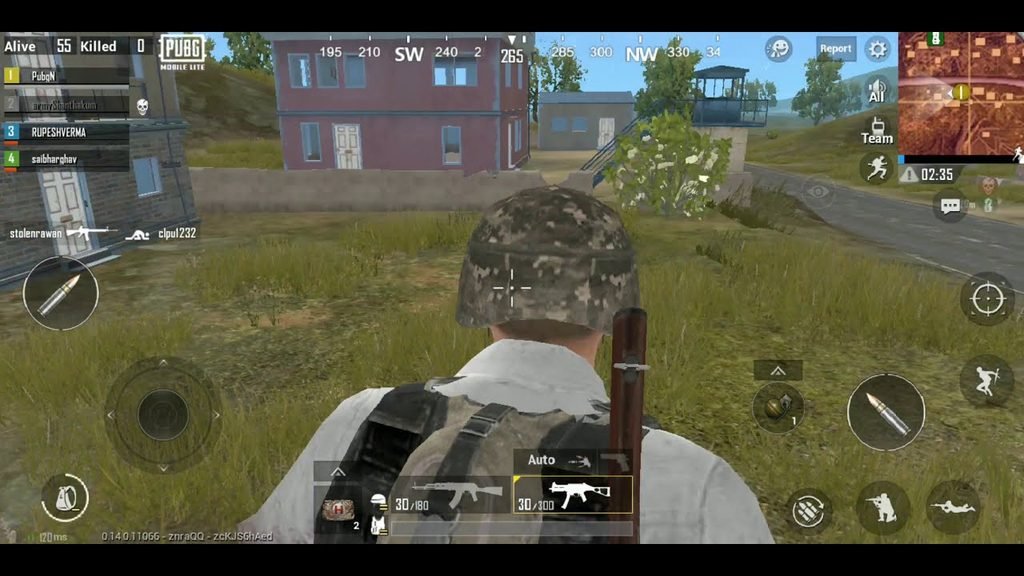
Why PUBG Mobile is Not Working?
When PUBG Mobile is not working, first identify exactly where the problem occurs.
The game may:
- Not open at all
- Close immediately after launching
- Get stuck on the loading screen
- Stop around 50% or 65%
- Show a network connection error
- Refuse to log you in
- Freeze in the lobby
- Crash during a match
- Show a black screen
- Have missing textures or buildings
- Experience severe FPS drops
- Stutter despite good ping
- Become extremely hot
- Stop responding after an update
- Download resources incorrectly
The solution depends on the symptom.
PUBG Mobile’s official support information recommends using the Customer Service option in the game’s settings when you can access the game, while players who cannot enter the game can check official community channels for current problems like PUBG Mobile is not working and notices.
1. PUBG Mobile Won’t Open
If you tap the PUBG Mobile icon and nothing happens, or the game immediately closes, start with the simplest checks.
Try these steps
- Completely close PUBG Mobile.
- Restart your phone.
- Check that you have enough free storage.
- Update PUBG Mobile from the official app store.
- Update your phone’s operating system if an update is available.
- Close other demanding applications.
- Launch PUBG Mobile again.
Don’t immediately uninstall the game. If the problem is caused by a temporary system or game issue, reinstalling several gigabytes of resources is a spectacularly inefficient first experiment.
Android
Go to:
Settings → Apps → PUBG Mobile → Storage → Clear Cache
The exact menu names vary by Android manufacturer.
iPhone/iPad
iOS doesn’t provide the same general app-cache button as Android. Restarting the device and checking for an app/iOS update are better first steps.
If PUBG Mobile still won’t launch, continue with the troubleshooting sections below.
2. PUBG Mobile Gets Stuck on the Loading Screen
A loading screen that never finishes is one of the most commonly reported problems.
Recent PUBG Mobile players have reported the game getting stuck during loading, including cases around the 50% and 65% stages. One recent report described a recurring 65% loading problem accompanied by a network connection error.
Another July 2026 report described PUBG Mobile becoming permanently stuck on the loading screen, with the player unable to access the normal repair resources option.
Fix PUBG Mobile stuck loading
Try this order:
Step 1: Force-close the game.
Step 2: Restart your phone.
Step 3: Switch between Wi-Fi and mobile data.
Step 4: Try opening PUBG Mobile again.
Step 5: If the game provides a repair option, use it.
Step 6: Check whether a new PUBG Mobile update is available.
Step 7: If the problem continues, report it through PUBG Mobile support.
Switching networks is useful because it helps determine whether the issue is related to your current connection or the game itself.
Do not assume that slow internet is automatically responsible. A loading failure can also be caused by a game-side bug.
3. PUBG Mobile Is Stuck at 50% or 65%
This deserves separate attention because players frequently describe the problem by the percentage where loading stops.
If PUBG Mobile repeatedly stops around 50% or 65%, try:
- Switching Wi-Fi/mobile data
- Restarting the game
- Restarting your phone
- Checking for an update
- Using the repair option if available
- Clearing the Android cache
- Reinstalling only after other options fail
- Reporting the problem if it continues
A recent Reddit report specifically described the 65% loading problem appearing with a network connection error, and another player reported being unable to progress through a loading screen at all.
If the same loading percentage repeatedly fails while your connection works normally in other apps, don’t spend hours repeatedly restarting the router.
The problem may be inside the game.
4. PUBG Mobile Crashes After an Update
Updates are supposed to improve games. Occasionally they also create new problems, because software enjoys reminding everyone who is actually in charge.
Recent PUBG Mobile users have reported crashes following updates.
One July 2026 discussion described an iPad 9th-generation device that began crashing randomly after an update, including crashes in the lobby and during custom modes.
Other users have reported increased FPS drops, sluggishness and optimization problems following updates.
What to do after an update?
If PUBG Mobile worked normally before an update but started crashing afterward:
- Restart the device.
- Check for a small follow-up game update.
- Check your available storage.
- Lower graphics and FPS temporarily.
- Close background applications.
- Repair game resources if the option is available.
- Check official PUBG Mobile announcements.
- Report the issue if multiple attempts fail.
PUBG Mobile’s terms also explain that updates can change or affect software functionality and that the game may not operate properly if required updates are not installed.
5. PUBG Mobile Shows a Network Connection Error
A network error does not necessarily mean your internet is completely down.
The connection between your device, network and game servers can fail for several reasons.
Try this diagnostic test
If you’re using Wi-Fi:
Turn Wi-Fi off → enable mobile data → open PUBG Mobile.
If you’re using mobile data:
Turn mobile data off → connect to Wi-Fi → open PUBG Mobile.
If one connection works and the other doesn’t, you’ve narrowed down the problem.
Also try:
- Restarting your router
- Moving closer to your Wi-Fi router
- Disconnecting unnecessary devices
- Checking whether other online games work
- Restarting your phone
PUBG Mobile’s official support documentation also notes that network-related login restrictions can occur during routine security checks and recommends checking the network connection before trying again.
6. PUBG Mobile Won’t Let Me Log In
If PUBG Mobile opens but your account won’t log in, first determine whether the problem affects:
Your account only or the entire game connection.
Try:
- Checking your internet connection
- Restarting PUBG Mobile
- Restarting the device
- Checking whether the selected login method is correct
- Updating the game
- Trying another network
If you see an account/security-related message, don’t repeatedly attempt suspicious workarounds.
PUBG Mobile directs players to its official customer support system for account and game issues. Explore Why PUBG creating Login Problems?
7. PUBG Mobile Keeps Freezing During Matches
Freezing is different from ordinary lag.
If the screen temporarily stops responding, investigate device performance as well as your network.
Check your phone temperature
A hot phone can reduce performance through thermal throttling.
Try:
- Lowering graphics quality
- Reducing the FPS setting
- Closing background applications
- Removing a thick case temporarily
- Avoiding direct sunlight
- Avoiding charging while playing if the device becomes very hot
Recent players have reported severe freezing and crashes even on relatively capable devices, including problems that appeared after updates.
If PUBG Mobile becomes stable again after the device cools down, temperature is an important clue. For more information Why PUBG mobile keep Freezing ?
8. PUBG Mobile Has Low FPS
If the game is technically working but FPS is too low, first check your graphics settings.
A practical starting point is:
Graphics: lower setting
Frame rate: highest stable option available
The important word is stable.
A consistent 60 FPS can feel better than a game constantly jumping between 90 and 40 FPS.
Also check
- Device temperature
- Free storage
- Background apps
- Battery-saving mode
- RAM availability
- Whether the problem started after an update
Recent players have reported FPS and optimization problems after PUBG Mobile updates, including sudden performance deterioration on devices that previously performed better.
9. PUBG Mobile FPS Drops During Combat
This is different from having low FPS all the time.
You might have:
Lobby: 60 FPS
Normal movement: 60 FPS
Large fight: 30–40 FPS
That suggests the device is struggling when the game has to process significantly more objects, effects and players.
Try
- Lowering graphics quality
- Reducing effects
- Lowering resolution if your device allows it
- Using a stable FPS target
- Closing background apps
- Checking temperature
Also test whether FPS drops happen only in particular areas.
If performance becomes dramatically worse in crowded locations, the workload may simply be much higher there.
10. PUBG Mobile Is Stuttering Even With Good Ping
This is one of the most important distinctions.
Ping and FPS are not the same thing.
You can have:
30 ms ping + terrible FPS
or:
120 ms ping + perfectly stable 60 FPS
The first is primarily a performance problem.
The second is primarily a network-latency problem.
If your ping looks good but the game feels jerky, check:
- FPS
- Frame stability
- Device temperature
- RAM
- Background apps
- Graphics settings
One recent PUBG Mobile player described the game feeling increasingly sluggish after an update despite having good ping, indicating that the problem was not necessarily the network.
11. PUBG Mobile Buildings, Players or Textures Are Not Loading
If you land and buildings, objects or player assets take a long time to appear, the problem can be related to resource loading or device performance.
A March 2026 player reported that after an update, parts of the environment were not loading properly after landing, with controls also becoming unreliable. The player specifically noted that ping was generally good.
Possible things to check
- Free storage
- Game resource downloads
- Graphics settings
- Device temperature
- Available RAM
- Game updates
- Repair resources
Make sure the game has finished downloading its required resources before assuming the device itself is broken.
12. PUBG Mobile Has a Black Screen
If PUBG Mobile launches but displays a black screen:
Try this sequence
- Force-close the game.
- Restart the phone.
- Check for a game update.
- Check for an operating-system update.
- Close screen-recording or overlay applications.
- Reduce graphics settings if you can reach the settings menu.
- Repair game resources if available.
On Android, clearing the app cache can also be useful.
If the black screen began immediately after a PUBG Mobile update, check whether other players are reporting the same problem before performing a complete reinstall.
13. PUBG Mobile Keeps Crashing on iPhone or iPad
Apple devices aren’t immune to game crashes.
A July 2026 PUBG Mobile discussion reported repeated crashes on an iPad 9th generation after an update, even after the user tried a device cooler. Other players with the same model reported similar behavior.
That kind of pattern matters.
If several users with the same device experience the same crash after the same update, the problem may be related to compatibility or the current game version rather than a single defective device.
Try
- Restarting iPhone/iPad
- Updating iOS/iPadOS
- Updating PUBG Mobile
- Freeing storage
- Closing background apps
- Lowering graphics/FPS
- Reinstalling only if necessary
- Reporting the crash to PUBG Mobile
14. PUBG Mobile Uses Too Much Storage
PUBG Mobile can require significantly more storage than the initial app download suggests because additional game resources are downloaded after installation.
PUBG Mobile’s current official site lists an APK download around 1.4 GB, but that does not represent every resource the complete game may use after installation.
If your phone is nearly full, you can experience:
- Failed updates
- Missing resources
- Installation problems
- Slow loading
- App instability
What to do
Keep meaningful free space available.
Delete unnecessary:
- Videos
- Duplicate photos
- Old downloads
- Unused applications
- Large files
Then restart the phone and try updating PUBG Mobile again.
Don’t keep your phone at 99.9% storage and then act surprised when it develops opinions.
15. PUBG Mobile Is Not Working After a New Update
If PUBG Mobile is not working after an update, don’t assume there is one universal fix.
First determine what changed.
If it won’t launch
Check:
- Update completion
- Storage
- Device restart
- App version
- OS compatibility
If it crashes
Check:
- Graphics settings
- Temperature
- Background apps
- Device-specific reports
- Official bug reports
If FPS dropped
Check:
- Graphics preset
- FPS option
- Temperature
- RAM
- Whether the update changed available settings
If loading is stuck
Check:
- Wi-Fi/mobile data
- Game resources
- Repair option
- Server/game-side reports
If everything became slower
Check whether other players are reporting the same problem.
Recent PUBG Mobile community discussions have reported FPS drops, loading delays, crashes and general sluggishness after updates, including reports from different devices.
If many unrelated devices suddenly develop the same problem after an update, repeatedly changing your phone settings probably isn’t going to magically repair the developer’s code.
Quick PUBG Mobile Troubleshooting Checklist
If you simply need a checklist, work through these steps in order:
- Restart PUBG Mobile.
- Restart your phone.
- Check your internet connection.
- Switch between Wi-Fi and mobile data.
- Check for a PUBG Mobile update.
- Check available storage.
- Close background applications.
- Check your phone temperature.
- Lower graphics settings temporarily.
- Lower the FPS target if the phone overheats.
- Clear PUBG Mobile cache on Android.
- Use the game’s repair option when available.
- Check whether other players report the same problem.
- Reinstall only after simpler fixes fail.
- Report persistent problems to official PUBG Mobile support.
PUBG Mobile’s official support page specifically directs players toward the in-game Customer Service option and official community channels when they encounter problems.
When the Problem Is Probably Not Your Phone
This is an important part of troubleshooting.
Your phone may not be the problem if:
- PUBG Mobile worked normally before a specific update.
- Other demanding games work normally.
- Your device isn’t overheating.
- You have enough storage.
- Your connection works correctly in other apps.
- Lowering graphics doesn’t solve the issue.
- Many other players report the same problem.
- The problem occurs only in the newest version.
For example, recent community reports describe users with different devices experiencing similar crashes and performance problems after updates.
In that situation, the most useful action is to report the bug with your device model, game version and exact symptoms.
PUBG Mobile’s official support specifically recommends submitting issues through its customer-service system.
When You Should Reinstall PUBG Mobile
Reinstalling can help, but it should not automatically be step one.
Consider reinstalling when:
- Game files appear corrupted.
- Repair doesn’t work.
- The game repeatedly fails to download resources.
- The app crashes immediately after launching.
- The installation became damaged after an interrupted update.
Before reinstalling, make sure you know your account login information.
Otherwise you can transform:
“My game isn’t working”
into:
“My game isn’t working and I don’t know how to get back into my account.”
Humans are remarkably creative at upgrading small problems into larger ones.
Frequently Asked Questions
Why is PUBG Mobile not working today?
If PUBG Mobile suddenly stops working, check for an update, restart the app and phone, test another network, and check whether other players are reporting the same issue. If the problem started after an update, it may be a game-side issue rather than your device.
Why is PUBG Mobile stuck on the loading screen?
A stuck loading screen can be related to network connectivity, game resources, a temporary game-side problem or an update bug. Recent players have reported loading problems around 50% and 65%.
Why does PUBG Mobile crash after an update?
An update can introduce compatibility or performance problems on particular devices. Recent users have reported crashes after updates on iPad and other devices.
Why does PUBG Mobile have low FPS after an update?
An update can change graphics settings, optimization or resource requirements. Check your FPS and graphics options, monitor device temperature and see whether other players with similar devices report the same problem.
Why is PUBG Mobile lagging when my ping is low?
Low ping only describes network latency. It doesn’t guarantee stable FPS. If ping is low but gameplay is still jerky, investigate FPS, frame stability, device temperature and memory usage.
How do I fix PUBG Mobile not opening on Android?
Restart the phone, update PUBG Mobile, check storage, close background apps and clear the PUBG Mobile cache. If the problem continues, use the game’s repair option if available or reinstall after confirming your account credentials.
How do I fix PUBG Mobile not working on iPhone?
Restart the iPhone, update PUBG Mobile and iOS, check free storage, close background apps and test again. If the problem started after an update and other users report the same behavior, it may be a compatibility or game-side issue.
Does reinstalling PUBG Mobile fix problems?
It can fix corrupted or incomplete installation files, but it won’t necessarily fix a server problem, network issue, device overheating or a bug affecting many players.
Should I use a VPN to fix PUBG Mobile?
A VPN can sometimes change the network route, but it should not be your first troubleshooting step. First test your normal Wi-Fi and mobile-data connections. If the issue is caused by the game itself, changing the network route won’t repair the game.
How do I report PUBG Mobile problems?
If you can access the game, PUBG Mobile recommends using the Customer Service option in Settings. Its official support page also provides channels for players who cannot enter the game.
Final Thoughts
When PUBG Mobile is not working, the fastest solution is not always the most complicated one.
Start by identifying the exact failure:
Won’t open? Check the app, device, updates and storage.
Stuck loading? Test the network and game resources.
Crashing? Check updates, device compatibility, temperature and game files.
Low FPS? Adjust graphics and FPS settings and monitor heat.
Stuttering with good ping? Investigate device performance rather than blaming the internet.
Started after an update? Check whether the problem is widespread before changing your entire phone configuration.
The recent player reports are especially useful because they show that PUBG Mobile problems aren’t limited to old or weak devices. Players have reported loading failures, crashes, FPS drops and sluggish performance across different phones and tablets, including issues appearing after updates.
The most reliable approach is therefore diagnosis first, fix second.
If the problem persists after the normal troubleshooting steps, use PUBG Mobile’s official customer-service system and provide the exact device, game version, connection type and symptoms. That gives the support team something useful to investigate instead of the traditional masterpiece of technical reporting: “game broken.”
Thank You

Pingback: PUBG Mobile Problems and Solutions - Fix Lag, FPS Drops, Ping & More in 2026
Pingback: PUBG Mobile Lag Fix in 15 Ways to Reduce Lag, Ping Spikes and Delayed Gameplay