
Rust Mobile brings the brutal survival experience of the popular PC game Rust to smartphones. Instead of being limited to a PC, players can now explore an open-world survival sandbox, gather resources, build bases, craft equipment, fight other players, and try to survive in a world where almost everything seems determined to ruin your day.
The mobile version is officially licensed by Facepunch Studios and developed by Level Infinite. It aims to retain the core survival experience of Rust while adapting the game for mobile devices.
If you are searching for information about Rust Mobile gameplay, supported devices, download options, system requirements, features, or common problems, this guide covers the important details. Find out Popular games to play
What Is Rust Mobile?
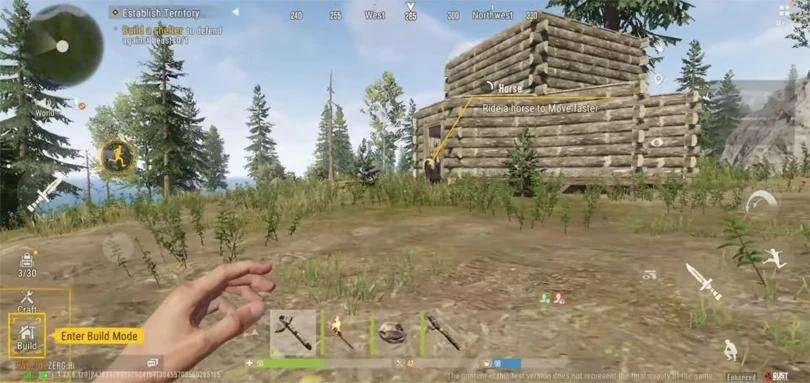
Rust Mobile is a mobile survival game based on the original Rust experience. The game combines open-world exploration, resource gathering, crafting, base building, PvP combat, raiding, and survival mechanics.
The mobile version is officially licensed by Facepunch Studios, the developer of the original Rust. Level Infinite is responsible for the mobile version.
The basic idea remains similar to the PC game. You enter a dangerous open world with very limited resources and must collect materials, create tools, build shelter, obtain food, craft weapons, and defend yourself from other players.
Rust is not designed around simply completing a linear campaign. Instead, much of the experience comes from what happens between players. You can cooperate with other survivors, form groups, build settlements, trade resources, or attack and raid other players. Explore more on Rust Mobile System Requirements
Rust Mobile Gameplay
This Mobile focuses on open-world survival rather than traditional level-based gameplay.
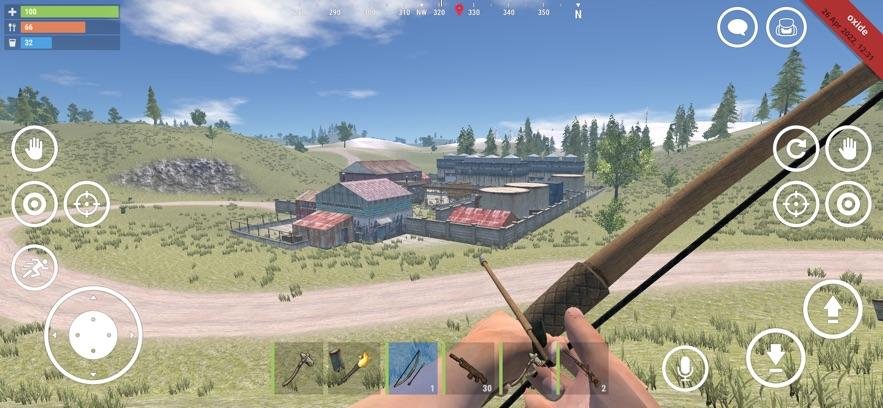
According to the official game listing, the mobile version includes open-world exploration, PvP combat, base building, crafting, base raiding, dynamic weather, different biomes, and a real-time day-night cycle.
Explore the Open World
The world contains different environments and resources that players need to explore.
You need to search for useful materials, discover locations, collect supplies, and decide how far you can safely travel from your base.
Exploration can be dangerous because other players are also searching for resources. A trip that starts as a simple resource-gathering run can quickly turn into a fight for survival.
Gather Resources
Resource gathering is one of the foundations of Rust Mobile.
Players need materials to create tools, weapons, structures, and other equipment. Early in the game, gathering basic resources is particularly important because you begin with very limited equipment.
As you progress, better equipment allows you to collect resources and explore more efficiently.
Build Your Base
Base building is another major part of Rust Mobile.
Players can construct shelters and larger bases to protect valuable resources and equipment. A strong base can provide protection from other players, while a poorly designed base can become an easy target for raiders.
Base construction therefore becomes more than simply creating somewhere to sleep. Players have to consider security, storage, entrances, defensive positions, and the possibility of attacks.
Craft Weapons and Equipment
Crafting allows players to turn collected resources into useful equipment.
Depending on their progression, players can create tools, weapons, protective equipment, building components, and other survival items.
The crafting system encourages players to continually gather resources and improve their equipment instead of relying on whatever they find during exploration.
Fight Other Players
PvP is one of the defining features of Rust.
Other survivors can be just as dangerous as environmental threats. Players may encounter someone while gathering resources, traveling between locations, or returning to their base.
You can cooperate with other players, but you cannot automatically assume everyone you meet is friendly. That uncertainty is a major part of Rust’s survival gameplay.
Raid Enemy Bases
Base raiding adds another layer to PvP.
Players can attack other bases and attempt to obtain resources stored inside. This means that protecting your own base is just as important as collecting resources and building weapons.
The official Rust Mobile description specifically highlights base raiding as one of the game’s major features.
Rust Mobile Features
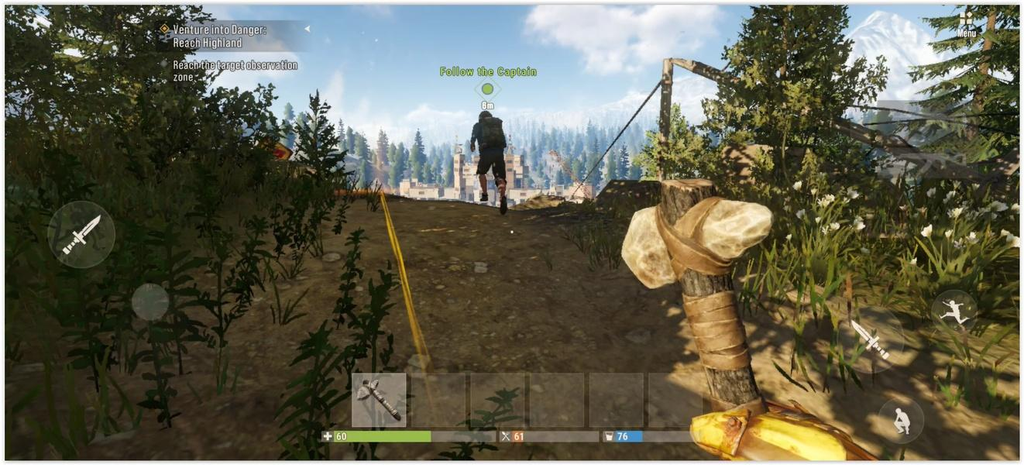
Rust Mobile attempts to preserve the core characteristics of the original Rust while adapting them for mobile devices.
Some of the major features include:
- Open-world survival
- PvP combat
- Base building
- Base raiding
- Crafting
- Resource gathering
- Exploration
- Dynamic weather
- Different regional biomes
- Real-time day-night cycle
- Multiplayer interaction
- Sandbox-style gameplay
The official Google Play listing describes Rust Mobile as a fully explorable sandbox world with dynamic weather, regional biomes, and a real-time day-night cycle.
Rust Mobile Android Requirements
One important question for mobile players is whether their phone can actually run the game.
The exact requirements can vary as the developers continue optimizing the game and supporting additional devices. Facepunch previously stated that exact device specifications would be revealed closer to release.
During an earlier limited Android test, the official Facepunch FAQ listed these minimum test specifications:
- Processor: Snapdragon 8 Gen 1
- RAM: 6 GB
- Available storage: 4 GB
Facepunch also noted that the early test supported only a limited number of models and that additional models could be supported in future testing.
These test requirements should not automatically be treated as the final requirements for every version of Rust Mobile. Players should check the current Google Play listing and official announcements for device compatibility.
Is Rust Mobile Available on Android?
Yes. Rust Mobile is available through Google Play, where it is listed under Level Infinite. The current listing shows the game as a mobile release rather than merely a pre-registration page.
Because availability can vary by region, players may see different installation or access options depending on their country and device.
If Rust Mobile does not appear in your Play Store, that does not necessarily mean the game does not exist. Regional availability and device compatibility can affect what appears in the store.
Is Rust Mobile Available on iPhone?
Rust Mobile is intended for both Android and iOS devices. Facepunch’s official FAQ confirms Android and iOS support for the mobile version.
However, iPhone and iPad users should check the current App Store listing for the latest compatibility information before attempting installation.
How to Download Rust Mobile
The safest way to install Rust Mobile is through an official app store.
Android
Android users should search for Rust Mobile on Google Play and verify that the developer is Level Infinite before installing.
Avoid downloading random APK files from unofficial websites. Apart from the obvious security problem, unofficial APK packages can be modified, outdated, or bundled with unwanted software.
iPhone and iPad
iOS users should search for Rust Mobile through the official Apple App Store and check the listed developer and device requirements.
Players should avoid websites claiming to provide modified or “unlimited” versions of Rust Mobile.
Is Rust Mobile Free to Play?
The current Google Play listing allows users to install Rust Mobile and identifies in-game purchases as part of the game’s content rating information.
This means players should check the current store listing for their region to see the exact pricing and available purchases.
Rust Mobile vs PC Rust
Rust Mobile is based on the same survival concept as the PC version, but it is designed specifically for mobile devices.
The original Rust is a multiplayer survival shooter developed by Facepunch Studios. Its gameplay includes exploration, resource gathering, crafting, base construction, PvP, raiding, transportation, farming, electricity, and other advanced systems.
Rust Mobile brings many of the core concepts to smartphones while adding mobile-focused optimization and controls.
However, players should not automatically assume that every PC feature, server system, update, or mechanic will be identical on mobile.
Rust Mobile Performance
Performance will depend heavily on the phone’s processor, RAM, graphics hardware, operating system, temperature, available storage, and game settings.
Players using older or lower-end phones may experience:
- FPS drops
- Stuttering
- Long loading times
- Overheating
- Battery drain
- High memory usage
- Crashes
- Texture or graphics problems
Reducing graphics quality, closing background applications, keeping sufficient free storage, and maintaining a stable internet connection can help improve the experience.
GameFixLab will cover these issues separately as more players report specific Rust Mobile problems.
Common Rust Mobile Problems
As with most demanding multiplayer mobile games, players may encounter technical issues.
Some of the most useful troubleshooting topics include:
Rust Mobile Lag
Lag can be caused by unstable internet connections, high server latency, background network activity, or device performance limitations.
A future GameFixLab guide can cover specific methods for reducing Rust Mobile lag and ping.
Rust Mobile FPS Drops
FPS drops are usually related to device performance, graphics settings, overheating, or background processes.
Lowering demanding graphics settings and keeping the device cool can help.
Rust Mobile Crashing
Crashes may occur because of insufficient memory, outdated software, corrupted game data, compatibility problems, or temporary game bugs.
Restarting the device, updating the game, and ensuring enough free storage are basic troubleshooting steps.
Rust Mobile Not Installing
Installation problems can be caused by insufficient storage, unsupported devices, regional restrictions, connection problems, or issues with the app store.
Players should first verify that their device meets the current requirements and that enough storage is available.
Is Rust Mobile Worth Playing?
Rust Mobile is particularly interesting for players who enjoy survival games with strong multiplayer interaction.
It combines several systems that rarely work together in a simple mobile game:
- Survival
- Exploration
- Crafting
- Building
- PvP
- Raiding
- Resource management
- Team cooperation
The biggest attraction is the freedom of the sandbox. There is no single path that every player has to follow. You can focus on building, gathering resources, fighting other players, exploring, trading, or working with a group.
The downside is that Rust-style survival can be unforgiving. Losing equipment or having a base raided can erase hours of progress. That is not a bug. It is basically the game’s personality.
Final Verdict
Rust Mobile brings the core Rust survival formula to smartphones, including open-world exploration, crafting, base building, PvP combat, and raiding.
It is officially licensed by Facepunch Studios and published by Level Infinite, making it a legitimate mobile adaptation rather than one of the countless unofficial games that borrow a famous name and hope nobody notices.
For players interested in mobile survival games, Rust Mobile is worth watching and trying on a compatible device.
As the game receives updates and more players encounter technical problems, GameFixLab will cover Rust Mobile guides, FPS fixes, lag solutions, system requirements, installation problems, and other troubleshooting topics.

Pingback: Rust Mobile System Requirements: Android & iPhone Specs in 2026