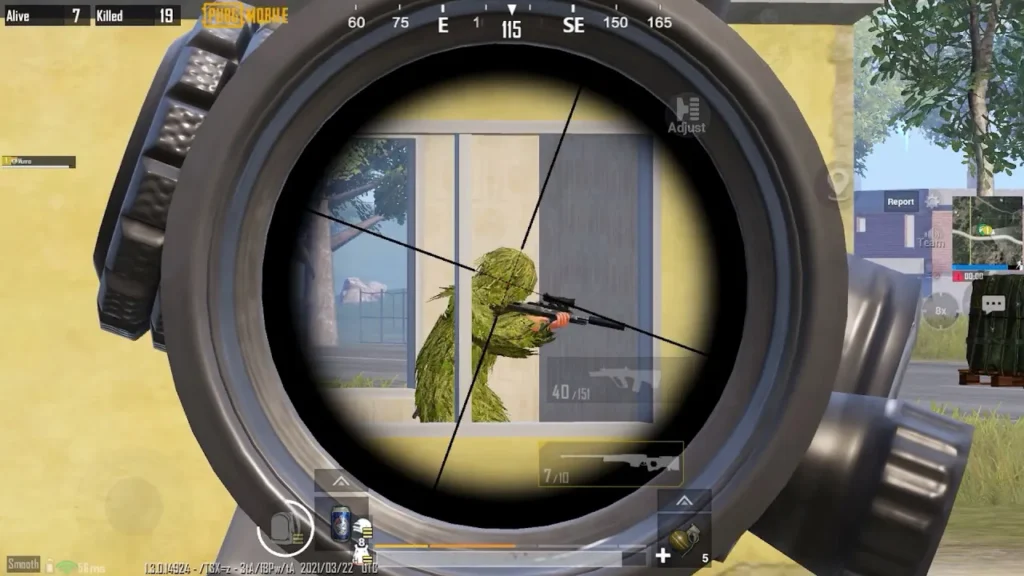
If PUBG Mobile freezing happens in the middle of a match, the problem is more serious than an occasional FPS drop. The game may stop responding for a few seconds, your character may continue moving after you release the controls, the screen may freeze during a gunfight, or the entire game may become unresponsive until you restart it.
Recent PUBG Mobile community reports show that this is not limited to older or low-end devices. Players have reported freezing and severe stuttering on iPhones, iPads, and powerful Android phones. In August 2026, players reported matches becoming heavily frozen and unresponsive, with some seeing ping jump from around 20–30 ms to 600 ms.
Other reports describe freezing specifically when shooting or when an enemy fires, while some players report the problem even when their device temperature and displayed FPS appear normal.
That means there isn’t one universal “PUBG Mobile freezing fix.”
The correct solution depends on what happens immediately before the freeze.
This guide breaks down the most common situations and gives you a practical troubleshooting order, from simple fixes to deeper solutions.
Why Does PUBG Mobile Keep Freezing?
PUBG Mobile freezing can be caused by several different problems:
- Unstable FPS or frame-time spikes
- Device overheating
- Insufficient RAM or background memory usage
- Corrupted game resources
- Problems after a PUBG Mobile update
- Poor game optimization
- Texture-loading problems
- High CPU or GPU workload
- Storage problems
- Network instability
- Ping spikes or packet loss
- Graphics settings that are too demanding
- Device-specific compatibility issues
- Temporary PUBG Mobile bugs
The important part is identifying which type of freezing you have.
For example:
Screen freezes for 2 seconds while ping stays normal
→ likely a performance/frame-time issue.
Game freezes and ping jumps from 30ms to 500ms
→ network instability may be involved.
Textures don’t load and then the game starts freezing
→ game resources or rendering may be involved.
Freezing started immediately after an update
→ an update-related optimization problem becomes more likely.
PUBG Mobile Freezing vs Lag vs Stuttering
These terms are often used interchangeably, but they describe different experiences.
Freezing
The game becomes completely or almost completely unresponsive for a short period.
Stuttering
The game continues running but movement appears uneven or jerky.
FPS drops
The number of frames being rendered decreases.
Network lag
Your device may render normally, but communication with the server is delayed.
You can also experience all four at the same time.
That’s why simply searching for “best graphics settings” doesn’t solve every PUBG Mobile freezing problem.
1. Restart PUBG Mobile Completely
Start with the simplest fix.
If PUBG Mobile freezes once, completely close the application before starting another match.
Android
- Open recent applications.
- Remove PUBG Mobile.
- Wait a few seconds.
- Open the game again.
iPhone or iPad
- Open the app switcher.
- Swipe PUBG Mobile away.
- Wait briefly.
- Launch it again.
If the problem happened only once, it may have been a temporary application error.
If PUBG Mobile freezes repeatedly, continue with the next fixes.
2. Restart Your Phone
A device restart can clear temporary memory usage and background processes.
This is especially useful if you’ve been playing for several hours or have many applications running.
Before reopening PUBG Mobile:
- Close unnecessary apps.
- Let the phone cool down.
- Make sure storage isn’t nearly full.
- Disable unnecessary background activity.
Then play another match.
If freezing returns after a certain amount of time, note how long it takes.
For example:
Game starts smoothly → 20 minutes later → freezing begins
That pattern can point toward heat or sustained performance problems.
3. Check Your Device Temperature
Heat is one of the first things to investigate when PUBG Mobile freezing appears after prolonged gameplay.
When a phone becomes hot, the system may reduce CPU or GPU performance to control temperature.
This can produce:
- FPS drops
- Stuttering
- Input delay
- Frame-time spikes
- Freezing
Try this
- Remove a thick phone case temporarily.
- Don’t play in direct sunlight.
- Avoid placing the phone on a hot surface.
- Close unnecessary applications.
- Lower graphics settings.
- Allow the device to cool before another match.
Interestingly, recent community reports also show that not every freezing problem is caused by temperature. One player reported severe freezing despite the device being at a normal temperature, while another reported similar issues on a high-end iPad.
So temperature is worth checking, but don’t automatically blame it.
4. Lower Graphics Settings
If the game freezes during:
- Gunfights
- Explosions
- Smoke
- Vehicle fights
- Crowded areas
- Event areas
your device may be struggling with the workload.
Try reducing graphics quality and using a stable FPS setting.
A practical starting point is:
Graphics: Smooth or another lighter option available on your device
Frame rate: Choose the highest setting that your device can sustain consistently rather than simply selecting the highest number available.
You want stable frame delivery, not an impressive number that collapses whenever somebody throws a grenade.
5. Don’t Confuse Average FPS With Stable FPS
This is one of the most important points when troubleshooting PUBG Mobile freezing.
Suppose your FPS counter says:
120 FPS
That sounds excellent.
But imagine the actual frame delivery looks like:
120 → 118 → 115 → 40 → 15 → 120
The average may still look impressive, but the sudden drops can create visible freezing or stuttering.
Recent PUBG Mobile players have reported exactly this type of situation, with high average FPS but severe frame-time spikes and low 1% and 0.1% lows.
What this means
Don’t judge game smoothness only by the maximum FPS number.
Consistency matters.
6. Close Background Applications
Background applications can consume:
- RAM
- CPU resources
- GPU resources
- Network bandwidth
- Battery power
Before playing PUBG Mobile, close applications you don’t need.
Pay particular attention to:
- Video editors
- Screen recorders
- Browsers with many tabs
- Social media apps
- Cloud synchronization
- File downloads
- Streaming applications
This is especially important on devices with limited available RAM.
7. Free Up Storage Space
A nearly full phone can create problems with application updates, temporary files and game resources.
Check your available storage.
Remove unnecessary:
- Videos
- Downloads
- Old screenshots
- Unused applications
- Large files
If PUBG Mobile freezing began after an update or while new resources were downloading, storage is especially worth checking.
Don’t confuse storage with RAM, though.
Having 100 GB of free storage doesn’t automatically mean the phone has plenty of available memory.
8. Repair PUBG Mobile Game Resources
If PUBG Mobile resources are damaged or incomplete, repairing them may help.
This is particularly relevant when you notice:
- Textures loading late
- Buildings appearing slowly
- Weapons not loading correctly
- Characters appearing late
- Missing visual elements
- Freezing after entering specific areas
- Problems beginning after an update
Recent reports describe players experiencing texture-loading problems for 30–60 seconds, followed by severe freezing and stuttering. One report said the problem became worse while moving, looting and shooting.
That kind of behavior points toward something different from ordinary internet latency.
If your PUBG Mobile version provides a repair option, use it and allow the process to complete.
PUBG Mobile has also previously advised players to use its Repair function when client-file problems are detected.
9. Clear PUBG Mobile Cache on Android
Android users can try clearing the PUBG Mobile cache.
The exact menu differs between manufacturers, but it is generally similar to:
Settings → Apps → PUBG Mobile → Storage → Clear Cache
Then restart the game.
Do not confuse this with Clear Data
Clearing cache removes temporary files.
Clearing application data can have more significant consequences and may require you to download resources or sign in again.
Use cache clearing first.
10. Check Whether the Freezing Started After an Update
This is a major clue.
If the game worked normally before an update and started freezing immediately afterward, don’t assume your phone suddenly became incapable of running PUBG Mobile.
Recent community discussions have repeatedly connected freezing, stuttering, FPS drops and rendering problems with newer patches. In July 2026, PUBG Mobile’s patch discussion specifically acknowledged FPS-drop problems on certain iPad Pro M1 devices, while players also reported continuing frame drops and similar rendering problems on Android.
In March 2026, players similarly reported widespread stuttering and FPS instability after an update across different devices.
What should you do?
If the problem started immediately after an update:
- Restart the device.
- Repair game resources.
- Check for another patch.
- Test different graphics settings.
- Check recent player reports.
- Report the bug if it continues.
If hundreds of players have the same problem, reinstalling your game five times probably isn’t going to defeat the laws of software development.
11. Check Whether Freezing Happens Only During Fights
This is a useful diagnostic test.
If PUBG Mobile is smooth while:
- Running around
- Looting
- Driving
- Exploring
but freezes when:
- You shoot
- An enemy shoots
- Explosions occur
- Multiple players appear
- Smoke is deployed
then the problem may be related to performance, rendering or game optimization.
Recent players have specifically reported freezing when they or an enemy fires.
What to try
Lower graphics settings first.
Then test:
- Training Ground
- A quiet area
- A normal match
- A crowded area
If the freezing consistently appears during heavy action, performance is more suspicious than ordinary internet speed.
12. Test Your Network if Ping Changes During the Freeze
Not every freeze is caused by FPS.
Watch your ping when the game freezes.
Example A
Ping: 35ms → 37ms → 40ms
while the screen freezes.
This points more toward device or rendering performance.
Example B
Ping: 35ms → 200ms → 600ms
while the game becomes unresponsive.
Network instability may be contributing.
Recent August 2026 reports describe severe freezing and stuttering accompanied by ping jumping from around 20–30ms to approximately 600ms.
If you experience this, test:
- Wi-Fi
- Mobile data
- Another Wi-Fi network
- VPN disabled
- Background downloads stopped
This can help determine whether the network is part of the problem.
13. Disable VPN and Network Tools
If you’re using a VPN, gaming tunnel, proxy or network filtering application, temporarily disable it.
These tools can change routing and sometimes introduce instability.
This is particularly important if your freezing is accompanied by:
- Ping spikes
- Connection warnings
- Delayed actions
- Reconnecting
- Voice-chat problems
Test the game using your normal connection without additional routing software.
14. Reinstall PUBG Mobile
If you’ve tried the previous solutions and the game continues freezing, reinstalling PUBG Mobile can help when installation files or resources are corrupted.
Before doing this:
Make sure your account is linked
Confirm that you know how to access your account after reinstalling.
Then:
- Uninstall PUBG Mobile.
- Restart your phone.
- Install PUBG Mobile again from the official app store.
- Download required resources completely.
- Log in.
- Test the game before restoring every optional resource.
But don’t reinstall immediately
If the freezing started after a new update and players everywhere are reporting the same issue, reinstalling may not solve it.
Recent reports show that some players have reinstalled PUBG Mobile without resolving update-related stuttering or freezing.
15. Report Persistent Freezing to PUBG Mobile
If you’ve tested your device, network and game installation and PUBG Mobile freezing continues, report the issue.
PUBG Mobile’s official support page says the preferred support route is the Customer Service option inside the game’s settings. It also points players who cannot enter the game toward its community channels for current issues and notices.
When reporting the problem, include:
- Device model
- RAM
- Processor if known
- Android/iOS version
- PUBG Mobile version
- Graphics settings
- FPS setting
- Approximate temperature
- Ping during the freeze
- When the freezing occurs
- Whether it happens every match
- Whether it started after an update
A useful report looks like:
“PUBG Mobile freezes for 2–3 seconds during combat on a [device]. Ping remains around 40ms while the freeze happens. The issue started immediately after the latest update.”
That’s considerably more useful than “game broken fix pls.”
PUBG Mobile Freezing After an Update
If PUBG Mobile freezing started after a recent update, treat the timing as evidence.
Ask yourself:
Was the game smooth before the update?
If yes, the update may have changed:
- Rendering
- Graphics
- Resource loading
- Device optimization
- Network behavior
- Memory usage
Are other players reporting the same issue?
Search for:
- PUBG Mobile freezing after update
- PUBG Mobile stuttering after update
- PUBG Mobile FPS drop after update
- PUBG Mobile freezing during fights
- PUBG Mobile freezing Android
- PUBG Mobile freezing iPhone
If users with different devices report the same problem, that is important evidence.
PUBG Mobile has acknowledged device-specific performance problems in its update communications before, including an iPad Pro M1 FPS-drop issue in July 2026.
PUBG Mobile Freezing on Android
Android devices vary significantly in:
- Chipsets
- GPUs
- RAM
- Display refresh rates
- Android versions
- Manufacturer software
- Thermal management
Therefore, a setting that works perfectly on one Android phone may not work well on another.
For Android, prioritize:
- Restarting the device
- Closing background apps
- Checking temperature
- Freeing storage
- Clearing PUBG Mobile cache
- Repairing resources
- Lowering graphics
- Testing another FPS setting
- Disabling VPN
- Reinstalling if necessary
If the problem appeared after an update, also check reports from users with the same phone model.
PUBG Mobile Freezing on iPhone or iPad
Don’t assume iPhone and iPad users are immune to freezing.
Recent community reports include freezing and stuttering on iPhone XS Max and iPad devices.
Try:
- Force-close PUBG Mobile.
- Restart the device.
- Check iOS/iPadOS updates.
- Check available storage.
- Reduce graphics.
- Test a different FPS setting.
- Disable VPN.
- Check whether the issue began after a PUBG Mobile update.
- Reinstall the game if necessary.
If multiple iOS users report the same issue after an update, the problem may be game-side rather than hardware-related.
PUBG Mobile Freezing With Stable Ping
This is one of the most important situations to understand.
Suppose you have:
Ping: 35ms
and the game still freezes.
That does not mean the problem isn’t real.
Stable ping only tells you something about network latency.
You can still have:
- Frame-time spikes
- GPU problems
- CPU workload
- Texture-loading issues
- Memory pressure
- Rendering problems
- Game optimization problems
One March 2026 player specifically reported severe freezing while both FPS and ping appeared stable, alongside delayed texture loading.
So don’t immediately buy a faster internet package because PUBG Mobile froze for two seconds.
Your router isn’t necessarily the villain in this episode.
PUBG Mobile Freezing During Gunfights
If freezing happens primarily during combat, test your graphics workload.
Start with:
- Lower graphics quality.
- Choose a stable FPS option.
- Disable unnecessary visual effects.
- Avoid extreme graphics settings.
- Test without screen recording.
- Close background applications.
Then enter a match and deliberately test a busy area.
If the game is stable outside combat but freezes when several players and effects appear, you’ve created a useful diagnostic pattern.
PUBG Mobile Freezing While Loading Textures
If buildings, weapons or characters appear late and the game freezes while loading them, investigate resources.
Possible causes include:
- Incomplete resource downloads
- Corrupted files
- Storage limitations
- Update-related bugs
- Rendering problems
Repair the game resources first.
If the problem continues after a clean reinstall, check whether other players are experiencing the same issue.
Recent players have described exactly this combination of delayed textures, freezing and stuttering after entering event areas.
PUBG Mobile Freezing After Playing for a Long Time
If the game works perfectly for the first few matches and then begins freezing, monitor:
- Device temperature
- Battery temperature
- Available RAM
- Background apps
- FPS stability
A long-session problem is more suggestive of sustained performance or thermal issues than a one-time startup problem.
Try cooling the device completely before testing again.
If the same freeze happens at the same point even on a cool device, look more closely at the game version, resources and update history.
PUBG Mobile Freezing Every Few Seconds
If the game freezes repeatedly throughout a match, use a controlled test.
Test 1: Training Ground
If it freezes there, the problem may be device/game performance.
Test 2: Classic Match
If Training Ground is smooth but Classic freezes, compare the workload.
Test 3: Another network
If the problem changes dramatically, investigate connectivity.
Test 4: Lower graphics
If freezing decreases substantially, performance is probably involved.
This is much more useful than changing ten settings simultaneously because then you won’t know which change actually mattered.
Quick PUBG Mobile Freezing Fix Checklist
Try the following order:
- Completely close PUBG Mobile.
- Restart your phone or tablet.
- Check device temperature.
- Close background applications.
- Check available storage.
- Lower graphics settings.
- Use a stable FPS setting.
- Repair PUBG Mobile resources.
- Clear cache on Android.
- Test your ping during the freeze.
- Disable VPN.
- Test Wi-Fi and mobile data separately.
- Check whether the issue started after an update.
- Reinstall PUBG Mobile if necessary.
- Report the problem to PUBG Mobile if it continues.
When Is It Probably a PUBG Mobile Problem?
You should suspect the game itself more strongly when:
- Your device is powerful enough to run the game.
- Other games work normally.
- Your device isn’t overheating.
- Your ping remains stable.
- You have enough storage.
- Reinstalling doesn’t help.
- The problem began after an update.
- Other players report the same freezing.
- Multiple device models are affected.
Recent reports show this exact pattern, with users on different high-end devices describing similar freezing and stuttering after updates.
In those situations, there may not be a permanent user-side fix yet.
When Is It Probably Your Device?
The device becomes a stronger suspect when:
- Other games also freeze.
- The phone becomes extremely hot.
- The problem happens only after long sessions.
- Lowering graphics significantly improves the problem.
- Your device has very little free storage.
- Many background applications are running.
- The operating system is unstable.
If other demanding games freeze in exactly the same way, PUBG Mobile may simply be revealing a broader device-performance problem.
Frequently Asked Questions
Why does PUBG Mobile keep freezing?
PUBG Mobile freezing can be caused by FPS instability, frame-time spikes, overheating, memory pressure, corrupted resources, update problems, graphics settings, network instability or game optimization issues.
How do I stop PUBG Mobile from freezing?
Start by restarting the game and device, checking temperature and storage, closing background applications, lowering graphics, repairing resources and testing your network. If the issue continues, consider clearing cache or reinstalling the game.
Why does PUBG Mobile freeze during fights?
Combat creates heavier CPU, GPU and rendering workloads. Explosions, smoke, multiple players and other effects can expose frame-time or optimization problems. Lower graphics and test a stable FPS setting.
Why does PUBG Mobile freeze with low ping?
Low ping doesn’t guarantee smooth rendering. You can have stable network latency while experiencing GPU, CPU, frame-time, texture-loading or game optimization problems.
Why does PUBG Mobile freeze after an update?
Updates can change rendering, resources, optimization and compatibility. Recent PUBG Mobile community reports have connected several freezing and stuttering problems with newer patches.
Can overheating cause PUBG Mobile freezing?
Yes. Excessive heat can cause sustained performance reductions and contribute to FPS drops or stuttering. However, recent reports also show freezing on devices that were not overheating, so temperature isn’t always the cause.
Can low storage cause PUBG Mobile freezing?
Very low storage can interfere with updates and temporary game resources. Freeing storage is a sensible troubleshooting step if your device is nearly full.
Does clearing cache fix PUBG Mobile freezing?
It can help if temporary game files are corrupted, particularly on Android, but it won’t fix server-side problems, poor optimization or every update-related issue.
Should I reinstall PUBG Mobile if it keeps freezing?
Reinstallation can help with corrupted files, but it should not be your first step. Try restarting, repairing resources, checking temperature, lowering graphics and testing the network first.
Why does PUBG Mobile freeze for a few seconds and then work normally?
Short freezes can result from frame-time spikes, resource loading, network spikes or temporary processing delays. Check what happens to FPS and ping during the freeze to narrow down the cause.
Why does PUBG Mobile freeze when I shoot?
If freezing consistently occurs when shooting or during combat, graphics rendering and frame-time problems are worth investigating. Recent players have reported this exact behavior.
Why does PUBG Mobile freeze while loading textures?
Delayed textures followed by freezing can indicate resource-loading or rendering problems. Repairing game resources and checking storage are good first steps.
Final Verdict
A PUBG Mobile freezing problem needs to be diagnosed rather than treated with one random “FPS boost” setting.
Start with the basics:
Restart → cool the device → close background apps → check storage → lower graphics → repair resources → check cache → test the network → reinstall if necessary.
Then look at the pattern.
If freezing happens during combat
Investigate graphics, FPS and frame-time stability.
If freezing happens after long sessions
Investigate heat and sustained performance.
If freezing happens with ping spikes
Investigate your network.
If freezing happens with stable ping and FPS
Investigate rendering, resources and game optimization.
If freezing started immediately after an update
Investigate the update and current community reports.
If many players have the same problem
It may be a PUBG Mobile-side issue that requires a developer fix.
That last point matters. Recent reports show freezing and severe stuttering across different devices, including high-end Android phones, iPhones and iPads.
So don’t waste hours changing every setting on your phone when the evidence suggests the game itself may be responsible.
If you’ve exhausted the normal fixes, use PUBG Mobile’s in-game Customer Service to report the problem and provide your device, game version, graphics settings, ping, temperature and exactly when the freezing occurs. PUBG Mobile officially recommends the in-game Customer Service route for support.
Find out Related PUBG Guide to and Solutions:
1- PUBG Mobile Not Working 2- PUBG Mobile Low FPS 3-PUBG Mobile Stuttering 4- PUBG Mobile Keeps Crashing 5-PUBG Mobile Stuck on Loading Screen 6-PUBG Mobile Lag Fix 7-PUBG Mobile High Ping 8-PUBG Mobile Black Screen .