
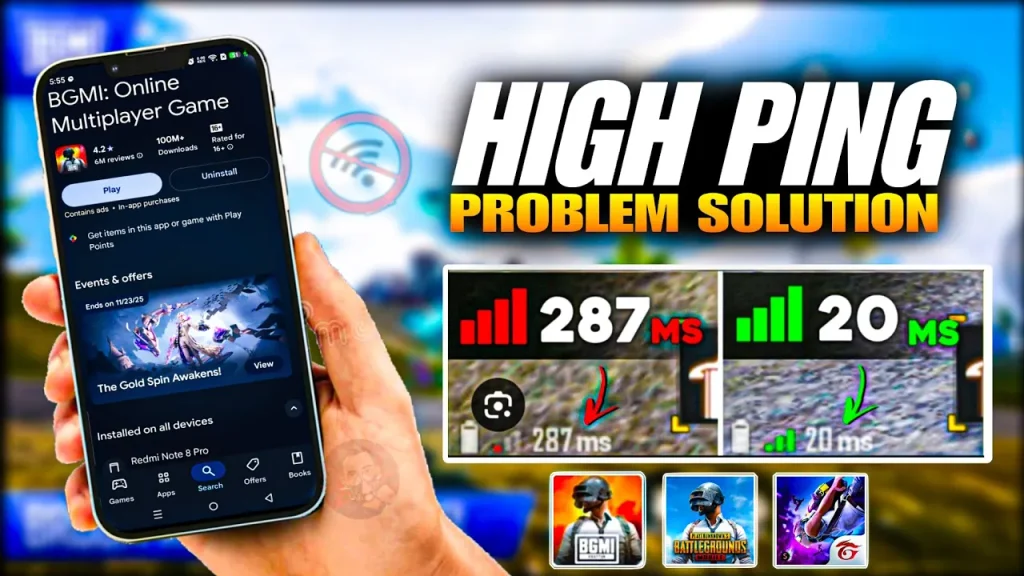
PUBG Mobile high ping can make an otherwise smooth match almost impossible to play. You may see your ping jump from 30ms to 200ms, enemies may suddenly teleport, shots can register late, and your character may continue moving even after you release the controls.
The confusing part is that high ping does not always mean your internet connection is simply “slow.” The problem can come from Wi-Fi interference, mobile network congestion, background downloads, VPN routing, packet loss, ISP routing, server distance, or temporary PUBG Mobile network problems.
In this guide, we’ll explain why PUBG Mobile high ping happens, how to identify the real cause, and which fixes are worth trying on Android, iPhone, and iPad.
What Does High Ping Mean in PUBG Mobile?
Ping measures how long it takes data to travel between your device and the game server and for a response to come back.
In simple terms:
Lower ping = faster communication with the server.
Higher ping = greater delay.
For example:
- 20–40ms: Usually excellent
- 40–60ms: Generally very good
- 60–100ms: Usually playable
- 100–150ms: Noticeable delay may appear
- 150ms+: Gameplay can become increasingly difficult
- 200ms+: Significant delay is likely
The exact experience depends on network stability, packet loss, server conditions, and the game itself.
A stable 90ms connection can sometimes feel better than a connection jumping constantly between 30ms and 300ms.
Why Is PUBG Mobile Ping So High?
There isn’t one universal reason for PUBG Mobile high ping.
Common causes include:
- Weak Wi-Fi signal
- Mobile network congestion
- ISP routing problems
- Background downloads
- VPN usage
- Router problems
- Packet loss
- Poor server routing
- Server-side issues
- Network switching
- Too many devices using the same connection
- Temporary connection problems after updates
The first thing you should determine is whether your ping is consistently high or whether it suddenly spikes.
Those are different problems. Explore Detail Guide PUBG Mobile Lag Fix .
1. Check Your PUBG Mobile Ping
Before changing anything, check the ping shown inside PUBG Mobile.
Don’t rely only on a speed-test application.
A speed test can show:
Fast download speed + low latency to the speed-test server
while PUBG Mobile still has:
High ping to the game server.
Why?
Because your speed-test server and PUBG Mobile’s server may be located in completely different places and use different network routes.
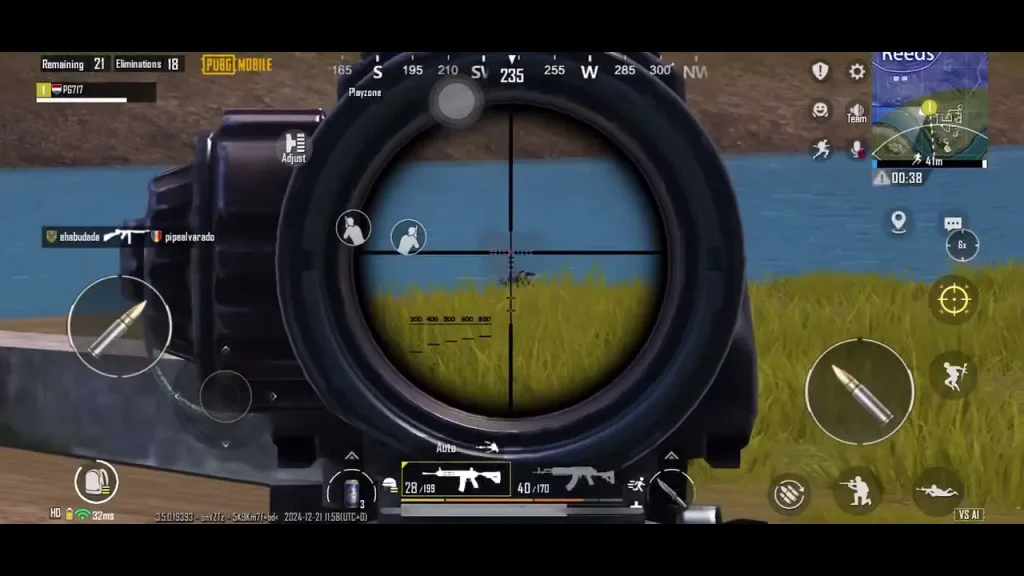
What to watch for
If your ping remains around:
35 → 38 → 42 → 40ms
your connection is relatively stable.
If it changes:
40 → 120 → 280 → 600ms
you have a ping-spike problem.
That distinction will determine which fixes are most useful.
2. Restart Your Wi-Fi Router
If you’re playing over Wi-Fi, restart the router.
Turn it off, wait a short period, then turn it back on.
After the connection returns:
- Connect your phone again.
- Open PUBG Mobile.
- Check your ping.
- Play a short match.
- Watch whether the ping remains stable.
A router restart can resolve temporary network problems, although it obviously cannot repair a bad ISP route or a distant game server. Humanity continues to invent increasingly complicated routers while still occasionally solving them by turning them off and on.
3. Move Closer to Your Wi-Fi Router
A weak Wi-Fi signal can contribute to instability.
If you’re playing far away from the router, walls, floors, furniture, and other wireless devices can interfere with the connection.
Try playing closer to the router.
If your ping becomes more stable, the wireless connection may have been contributing to the problem.
Also avoid
- Playing behind multiple thick walls
- Very crowded Wi-Fi areas
- Using damaged routers
- Keeping the phone in a location with poor signal
4. Test PUBG Mobile on Mobile Data
This is one of the best ways to identify whether Wi-Fi is causing PUBG Mobile high ping.
Play a short test using mobile data.
If the ping improves
Your Wi-Fi or ISP connection may be the problem.
If the ping remains high
The problem could involve:
- Mobile network routing
- PUBG Mobile servers
- Regional routing
- Your device
- A broader game-side problem
Don’t assume mobile data will always be faster. It depends heavily on your carrier, signal strength and local congestion.
5. Stop Background Downloads
Your phone may be consuming bandwidth without making it obvious.
Check whether something is:
- Downloading an application
- Updating applications
- Uploading photos
- Syncing cloud files
- Streaming video
- Downloading system updates
On shared Wi-Fi, other people using the network can also affect your connection.
For example:
You: PUBG Mobile
Someone else: 4K video streaming
Another device: large file download
Your router may have a surprisingly busy social life.
Stop unnecessary network activity and test the game again.
6. Disconnect Your VPN
A VPN can sometimes increase PUBG Mobile ping because it changes your network route.
Your normal route might be:
Phone → ISP → PUBG Mobile server
A VPN could create:
Phone → VPN server → ISP/network → PUBG Mobile server
That extra routing can increase latency.
If you’re experiencing PUBG Mobile high ping, disconnect the VPN temporarily and compare the result.
Important
This doesn’t mean every VPN causes high ping.
It means a VPN should be eliminated as a variable during troubleshooting.
7. Check for Ping Spikes Instead of Just Average Ping
A major mistake is looking at only the average ping.
Suppose your game shows:
50ms
but occasionally jumps to:
300ms
during combat.
You may experience:
- Delayed shots
- Enemy teleportation
- Delayed movement
- Doors opening late
- Sudden freezes
- Characters moving backward
- Connection warnings
That’s a stability problem.
High ping vs ping spikes
High ping:
180 → 175 → 182 → 179ms
Ping spikes:
35 → 40 → 350 → 50 → 600ms
The second connection can feel much worse despite having a lower average.
8. Check for Packet Loss
Packet loss happens when some network packets fail to reach their destination or don’t return properly.
You can therefore have:
Low ping + packet loss = bad gameplay.
Possible symptoms include:
- Players teleporting
- Shots appearing delayed
- Movement feeling inconsistent
- Characters freezing temporarily
- Sudden reconnecting
- Voice chat interruptions
This is why PUBG Mobile high ping isn’t the only network metric that matters.
If your ping appears normal but the game still behaves strangely, investigate packet loss and network stability.
9. Use a Stable Network Instead of Constantly Switching
Constantly switching between Wi-Fi and mobile data can create interruptions.
For a proper test, use one connection for an entire match.
For example:
Test A
Wi-Fi for one match.
Test B
Mobile data for another match.
Compare:
- Average ping
- Ping spikes
- Packet loss
- Connection warnings
This gives you a much clearer picture than changing networks every few seconds because the ping number looked scary.
10. Reduce Network Congestion at Home
If several people use the same connection, congestion can increase latency.
This is especially noticeable when someone is:
- Streaming high-resolution video
- Downloading games
- Uploading large files
- Using cloud backups
- Running security-camera uploads
- Downloading updates
Try playing when network usage is lower.
If PUBG Mobile suddenly becomes stable late at night but has high ping during busy hours, congestion may be contributing to the problem.
11. Check Your Mobile Signal
If you’re using mobile data, check the strength and stability of your cellular signal.
A weak or unstable signal can produce:
- Higher latency
- Ping spikes
- Packet loss
- Temporary disconnections
Move to an area with better signal and test again.
Also remember that a phone showing a strong signal doesn’t guarantee a good gaming connection. Cellular towers can still be congested.
12. Check Whether PUBG Mobile Is Having a Server Problem
Sometimes the problem isn’t your internet.
If players in different countries and on different networks suddenly report:
- High ping
- Connection errors
- Matchmaking problems
- Disconnections
- Ping spikes
there may be a server-side or routing problem.
This is particularly important when your internet works normally for other online games and services. Details guide of PUBG Problem and Solutions .
Before changing everything
Check recent PUBG Mobile community discussions and official announcements.
If many players are experiencing the same problem simultaneously, there may be little you can fix from your phone.
13. Check Your Region and Server Selection
Your distance from the game server can influence latency.
If your account or game configuration connects you to a server farther away than expected, ping can be higher.
Check the available server or region options inside PUBG Mobile and make sure you’re using the appropriate region.
However, don’t randomly switch regions expecting a magical reduction from 150ms to 20ms.
Server distance and routing still matter.
14. Restart Your Phone and Update PUBG Mobile
If PUBG Mobile high ping started suddenly, restart your device and check for game updates.
Also check your operating system for available updates.
This is especially important if the problem appeared immediately after a PUBG Mobile update.
A new version can potentially introduce network, performance or compatibility problems.
PUBG Mobile has previously acknowledged that bugs can remain undetected after updates and says player feedback helps its developers identify and address issues.
If your ping became unusually high immediately after an update while everything else remained unchanged, investigate whether other players are reporting the same behavior.
15. Contact PUBG Mobile Support When Nothing Else Explains the Problem
If you’ve tested:
- Wi-Fi
- Mobile data
- VPN disabled
- Background downloads stopped
- Router restarted
- Different times of day
- Different game modes
and the problem remains, it may require investigation by PUBG Mobile.
PUBG Mobile’s official support guidance recommends using the Customer Service option inside the game. Its support page also provides information for players who cannot access the game.
When reporting high ping, provide useful information such as:
- Device model
- Country/region
- Network provider
- Wi-Fi or mobile data
- Normal ping
- Ping during spikes
- Game mode
- Approximate time of the problem
- Whether other games have the same issue
- Whether the problem began after an update
A report containing actual diagnostic information is far more useful than “PUBG lag fix please.”
PUBG Mobile High Ping on Wi-Fi
If PUBG Mobile high ping happens only on Wi-Fi, investigate your home network first.
Try:
- Restarting the router.
- Moving closer to it.
- Disconnecting unnecessary devices.
- Stopping downloads.
- Testing another Wi-Fi network.
- Testing mobile data.
If another Wi-Fi works
Your original network may have:
- Congestion
- Interference
- ISP routing problems
- Router problems
- DNS or network configuration issues
PUBG Mobile High Ping on Mobile Data
If your ping is high on mobile data, investigate:
- Signal strength
- Network congestion
- Carrier routing
- Location
- Data-plan restrictions
- Network mode
Try moving to a different location and compare the ping.
If your ping improves dramatically in another location, the cellular network may be the limiting factor.
PUBG Mobile High Ping After an Update
If PUBG Mobile high ping started after an update, don’t immediately replace your router.
First determine whether:
- Your other online games still work normally.
- Your normal internet latency is unchanged.
- Other PUBG Mobile players report the same issue.
- The problem occurs on Wi-Fi and mobile data.
- The issue happens only on a particular server or mode.
If multiple players report the same problem after the same update, the game or its server infrastructure becomes a stronger suspect.
Why Is PUBG Mobile Ping High at Night?
Some players notice higher ping during certain hours.
This can happen because network usage increases during peak periods.
For example:
Daytime: fewer users → less congestion
Evening: more users → more network traffic
This can affect:
- Home broadband
- Mobile networks
- ISP routing
- Local network congestion
If your ping is consistently worse during a particular period, record the pattern for several days instead of judging it from one match.
Why Is PUBG Mobile Ping High With Fast Internet?
This is another common misunderstanding.
Download speed is not the same thing as gaming latency.
You might have:
100 Mbps internet
and still experience:
150ms PUBG Mobile ping.
Why?
Because gaming performance depends heavily on:
- Latency
- Routing
- Packet loss
- Server distance
- Network congestion
- Connection stability
A faster download connection doesn’t automatically mean a shorter route to the PUBG Mobile server.
Is 100ms Ping Bad for PUBG Mobile?
100ms isn’t necessarily unplayable.
The bigger question is whether the connection is stable.
Example 1
95 → 98 → 96 → 100ms
This can be reasonably consistent.
Example 2
35 → 110 → 280 → 600ms
This is much more disruptive.
For competitive play, lower and more stable latency is generally preferable.
Can DNS Reduce PUBG Mobile Ping?
Changing DNS is often advertised as a universal gaming fix.
Reality is less exciting.
DNS mainly helps with domain-name resolution. It does not automatically create a shorter route for every packet sent during your PUBG Mobile match.
Changing DNS may help in some network situations, but it should not be treated as a guaranteed PUBG Mobile high ping fix.
Test it if you understand what you’re changing, but don’t expect miracles.
Does a Gaming Booster Reduce PUBG Mobile Ping?
Gaming boosters can sometimes improve device performance by closing background applications or changing system settings.
But a gaming booster cannot magically repair:
- ISP routing
- Packet loss
- Server congestion
- Weak cellular signal
- Distant servers
If your problem is FPS-related, a performance mode may help.
If your problem is network latency, focus on the network.
PUBG Mobile High Ping vs Low FPS
These problems are often confused.
High ping
You may notice:
- Delayed actions
- Teleporting enemies
- Delayed hit registration
- Connection warnings
Low FPS
You may notice:
- Choppy animation
- Stuttering
- Slow-looking movement
- Frame drops
- Device overheating
Both together
This is the nightmare combination.
You can have:
Stable 30ms ping + terrible FPS
or:
120 FPS + 300ms ping
The first has a performance problem.
The second has a network problem.
Quick PUBG Mobile High Ping Fix Checklist
Before doing anything complicated, follow this order:
- Check your in-game ping.
- Look for ping spikes.
- Restart your router.
- Test another Wi-Fi connection.
- Test mobile data.
- Disable VPN.
- Stop background downloads.
- Check for network congestion.
- Check mobile signal strength.
- Restart your phone.
- Check PUBG Mobile updates.
- Test at another time of day.
- Check whether other players have the same issue.
- Check server/region settings.
- Contact PUBG Mobile support if the problem continues.
Frequently Asked Questions
Why is my PUBG Mobile ping so high?
PUBG Mobile high ping can result from Wi-Fi problems, mobile network congestion, ISP routing, packet loss, VPN routing, server distance, background downloads or temporary server issues.
How do I reduce PUBG Mobile ping?
Start by testing your network, restarting your router, stopping background downloads, disabling VPN, testing mobile data, and checking whether the problem affects other players.
Why does PUBG Mobile ping suddenly jump?
Sudden ping spikes can be caused by network congestion, packet loss, Wi-Fi interference, mobile signal changes, ISP routing problems or server-side issues.
Why is PUBG Mobile high ping but my internet is fast?
Download speed and gaming latency are different measurements. You can have fast internet while still having poor routing or high latency to the PUBG Mobile server.
Why is PUBG Mobile high ping on Wi-Fi but fine on mobile data?
The Wi-Fi network, router or ISP route may be causing the problem. Test another Wi-Fi connection to narrow it down.
Why is PUBG Mobile high ping on mobile data?
Possible causes include weak signal, cellular congestion, carrier routing and location. Test from another location or compare against Wi-Fi.
Can VPN reduce PUBG Mobile ping?
A VPN can sometimes improve routing, but it can also increase latency. Test it rather than assuming it will make your connection faster.
Does changing DNS fix PUBG Mobile high ping?
DNS changes may help with some connectivity issues, but DNS isn’t a universal solution for in-game latency because the main gameplay traffic still depends on routing between your network and the game server.
Is 200ms ping playable in PUBG Mobile?
You can technically play at 200ms, but the delay is likely to be noticeable and can seriously affect competitive gameplay.
Why does PUBG Mobile have high ping only at night?
Peak network usage can increase congestion on home broadband, mobile networks or ISP infrastructure. Compare your ping at different times over several days to confirm the pattern.
Can packet loss cause PUBG Mobile lag?
Yes. Packet loss can cause freezing, teleporting, delayed actions and inconsistent hit registration even when the displayed ping looks relatively low.
Should I reinstall PUBG Mobile because of high ping?
Usually not as your first step. Reinstalling can help with corrupted game files, but it won’t fix ISP routing, network congestion or a server-side problem.
Final Verdict
The best way to fix PUBG Mobile high ping is to determine where the latency is coming from before changing settings randomly.
Start with the connection:
Wi-Fi → mobile data → router → VPN → background traffic → signal → congestion
Then investigate the game:
server → region → update → game-side problems
And don’t confuse high ping with FPS problems.
If your ping stays around 30–50ms but the game stutters, you probably have a performance issue.
If your FPS is stable but ping suddenly jumps to 300–600ms, you have a network or server problem.
If both happen together, congratulations, technology has decided to make your evening unnecessarily complicated.
Most importantly, if the same PUBG Mobile high ping problem appears across different devices, networks and regions at the same time, the problem may not be something you can fix from your phone. In that situation, reporting the issue with detailed information is more useful than repeatedly reinstalling the game. Learn Detail Guide on followings:
- PUBG Mobile Not Working
- PUBG Mobile Low FPS
- PUBG Mobile Stuttering
- PUBG Mobile Keeps Crashing
- PUBG Mobile Stuck on Loading Screen
- PUBG Mobile Black Screen
Thank You

Pingback: Best Solutions for PUBG Mobile Connection Errors in 2026